No sign-in required

Split group expenses. Track your own. Settle with ease.

Pangu is built for real shared spending: trips, families, roommates, events, and homes. Create a group in seconds, join with a code, scan receipts with AI-powered parsing, enter expenses or settlements in a different currency while each group keeps one ledger currency, use Split later when a shared expense needs assignment afterward, keep My Expenses separate, manage account-level preferences from My Settings, and reconnect existing data on another device with a verified account email and explicit Connect Data confirmation.

Recent additions: pending-member claim links, owner split correction tools, cleaner split-later follow-up, and a shareable group settlement statement.
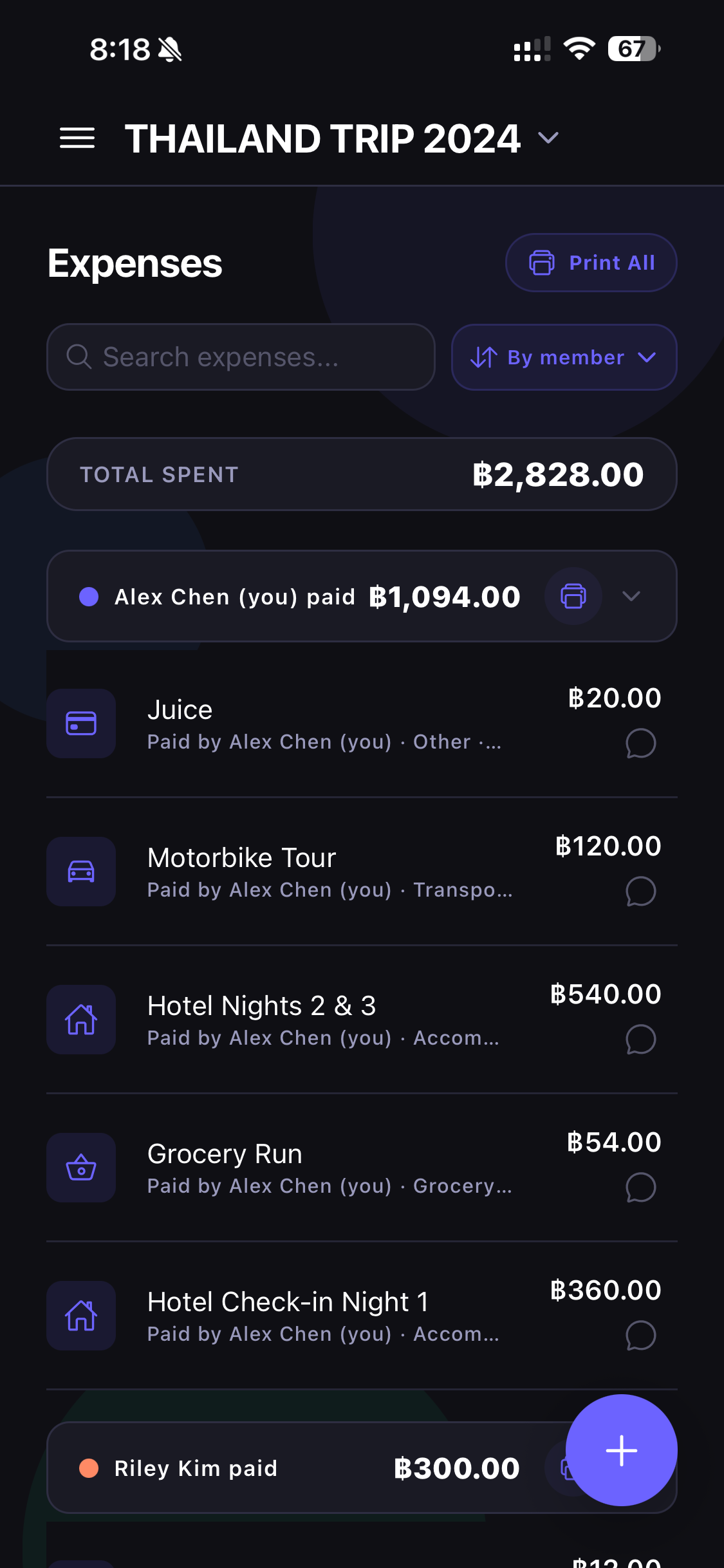
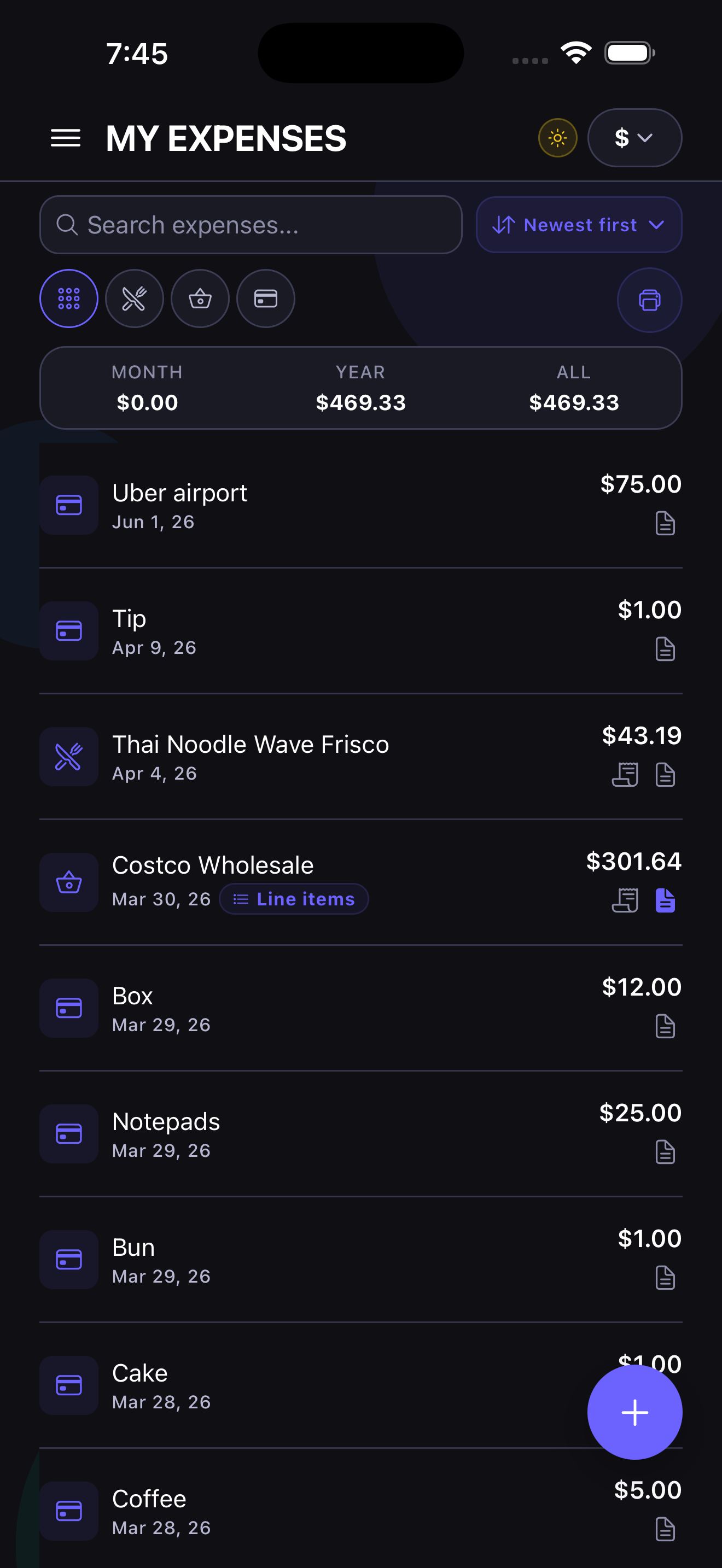
Pangu expenses screen
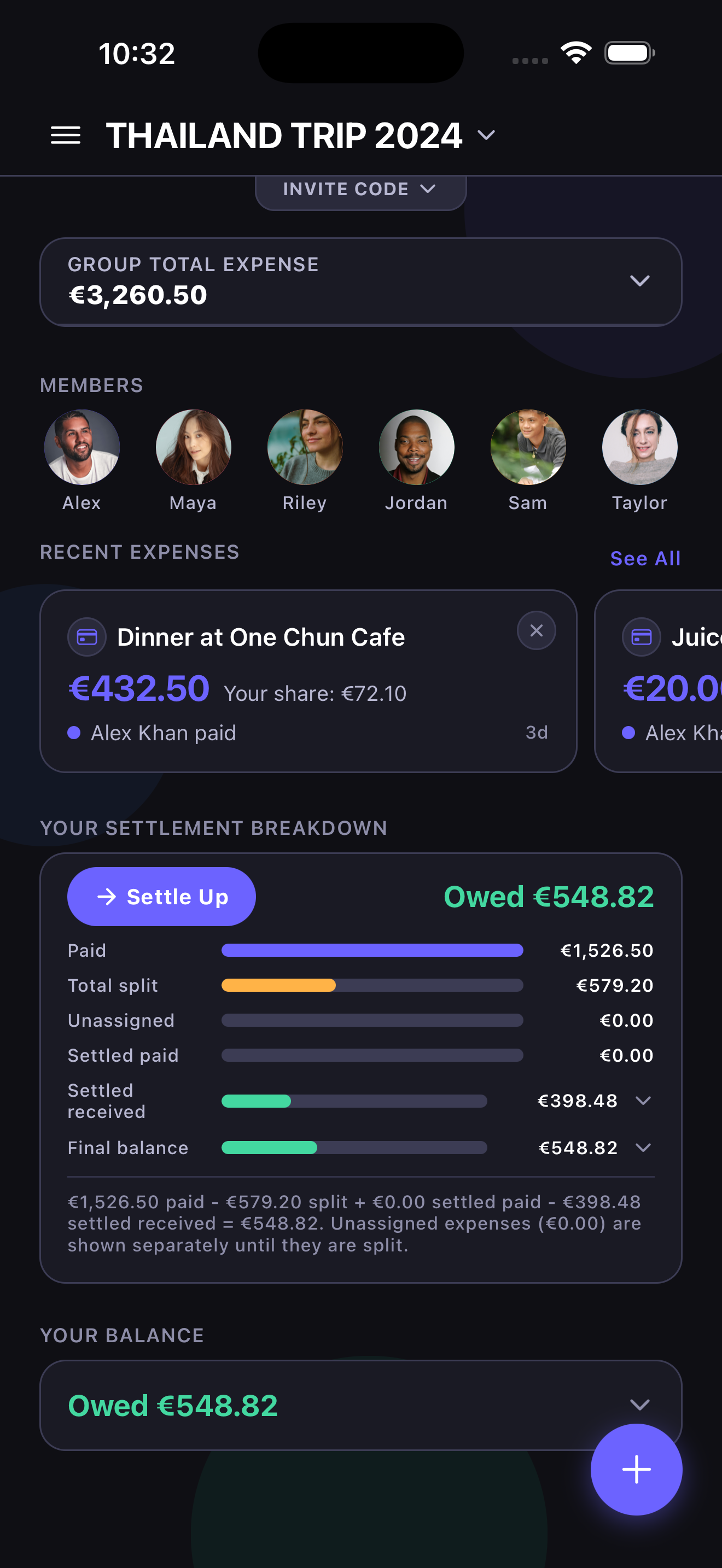
Pangu group home screen
No Login
Create or join right away
Shared + Private
Groups and My Expenses
Receipts + PDF
Track and export clean records
Account Email
Reconnect older groups and My Expenses later

Better member claiming, split correction, and final settlement sharing

Pangu focuses on the places shared-expense apps usually get awkward after the first setup: inviting someone before they are ready to join, fixing a split without rewriting the whole expense, and sharing a clean final transfer plan before the group wraps up.

Pending members

Invite now, claim later

Add someone to the group before they fully join Pangu, send them a secure claim link later, and keep duplicate-member cleanup tools nearby when real groups evolve over time.

  • Add pending members before signup
  • Secure claim-link flow
  • Duplicate merge support when needed
Owner correction tools

Fix the split without rewriting the expense

Group owners can step in when someone logs the right amount but the wrong split. They can adjust split assignment and category on shared expenses paid by others without changing the amount or payer.

  • Split-only edit path for owners
  • Category correction for shared expenses
  • Preserves payer and amount history
Settlement statement

Share the final transfers clearly

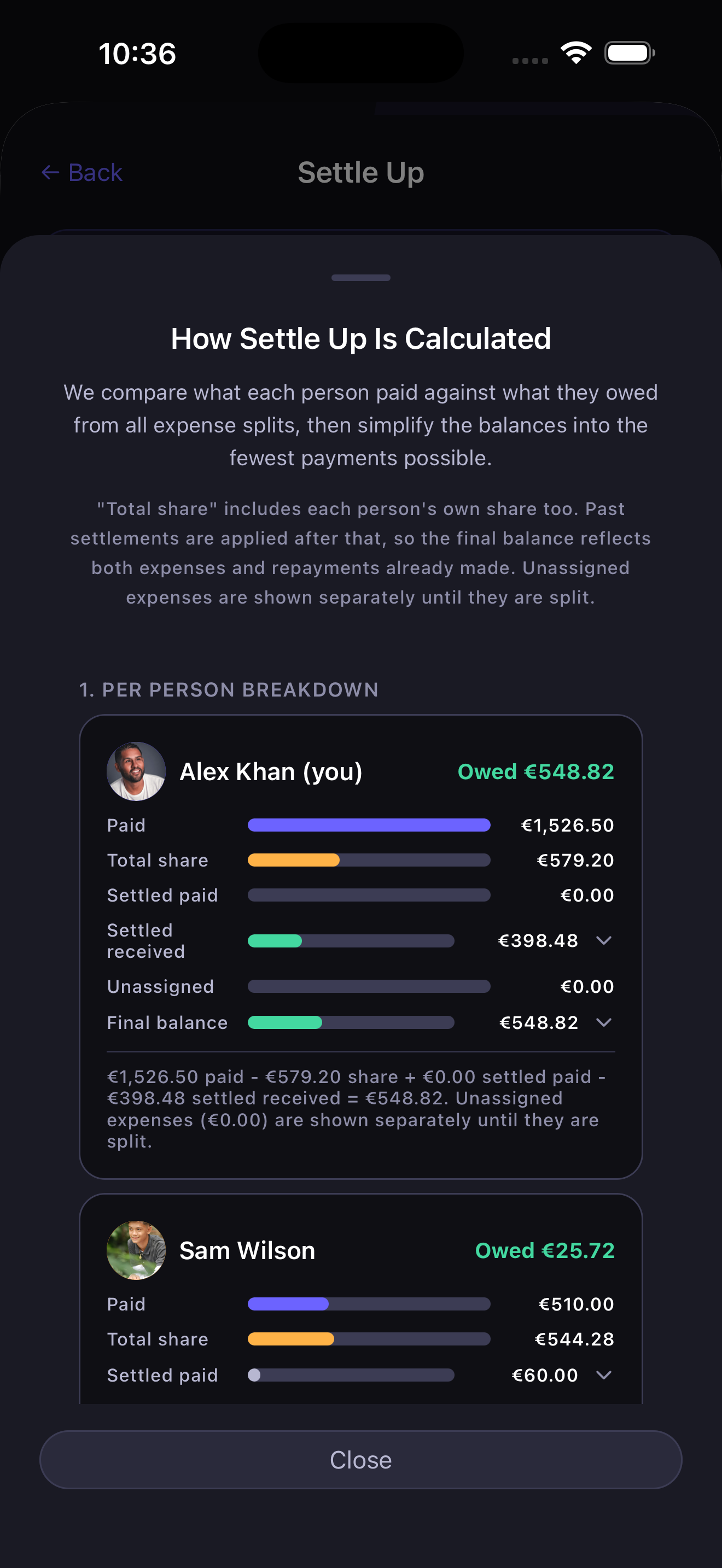
From Group Home, open a dedicated settlement statement that shows the final transfers for the whole group, then share or print that summary when everyone is ready to settle up.

  • Final transfers in one place
  • Simple share and print output
  • Jump straight into Settle Up

Built for the messy reality of shared spending

Pangu keeps shared expenses readable, private spending separate, and settle-up decisions simple. It is designed for people who want to start fast without being forced through account setup first.

+

Create or join instantly

Create a group, or join with a 9-character code. Drawer shortcuts keep create and join one tap away.

PL

My Expenses stays separate

Track private expenses outside the group, then move them into shared spending only when needed.

PDF

AI receipt scan, insights, and exports

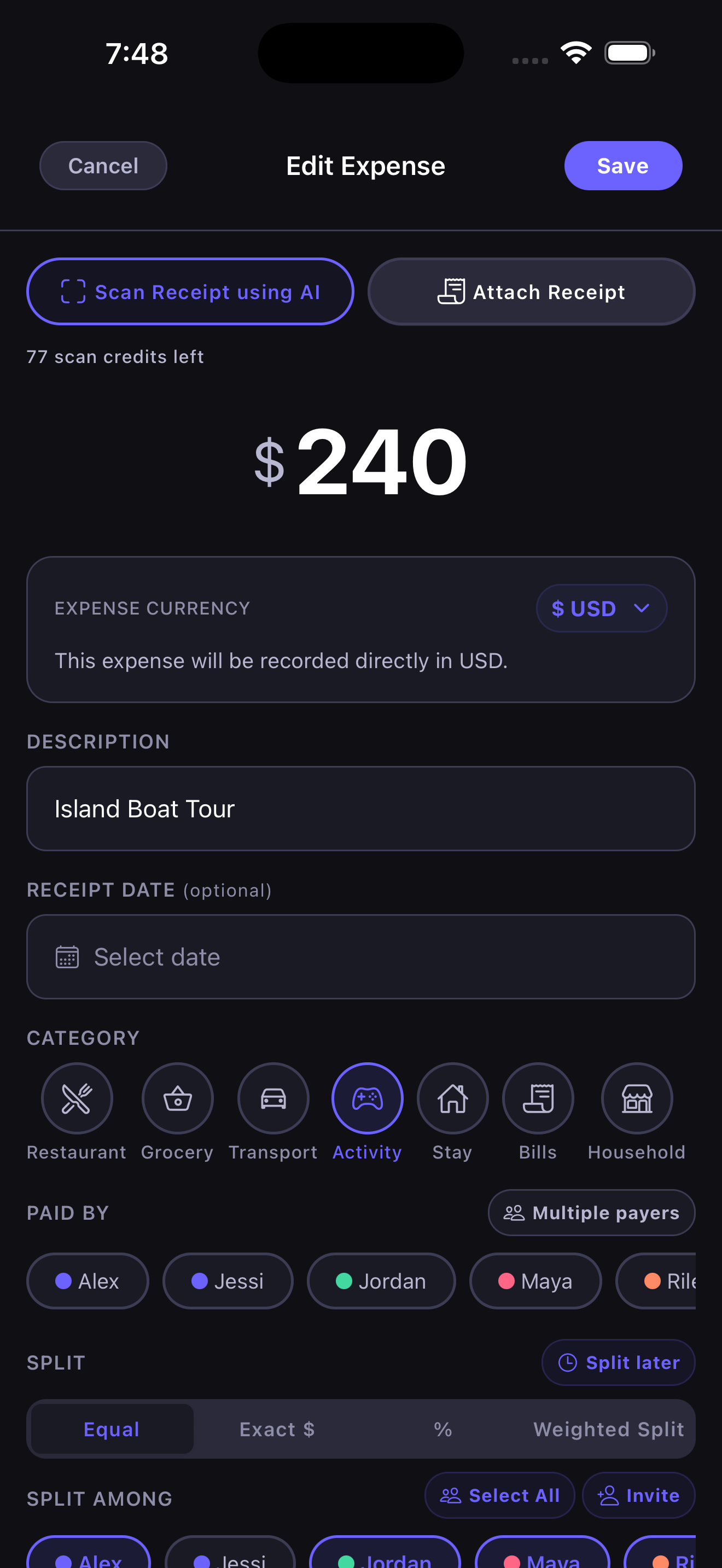
Scan receipts with AI-powered parsing, review top expenses, see split summaries, keep unassigned expenses visible until they are split, and export polished PDF reports. Each AI scan uses 1 AI Scan Credit — every account starts with free credits, and more can be purchased in the app if you need them.

MP

Split who actually paid

Turn on Multiple Payers when one expense is covered by more than one person. Enter each payer's amount directly, split the total evenly, or use Balance For Me to fill in the rest so your own share comes out even.

AMM

Advanced member management

Add pending members, send claim links, merge duplicates, transfer ownership, and manage approval-required joins with notifications.

Move expenses when life changes

Shift an expense between My Expenses and a group when something turns from private to shared, or back again.

Settle with less back-and-forth

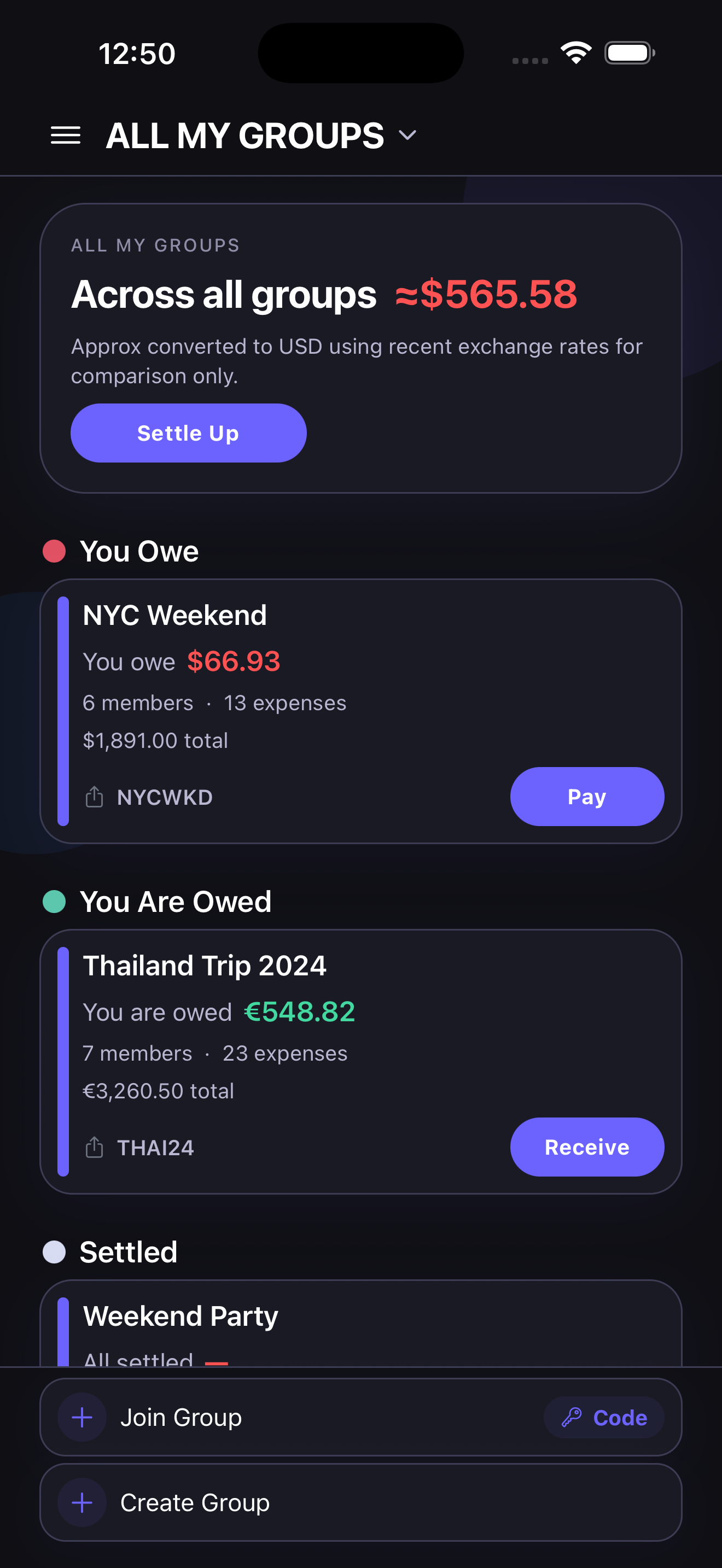
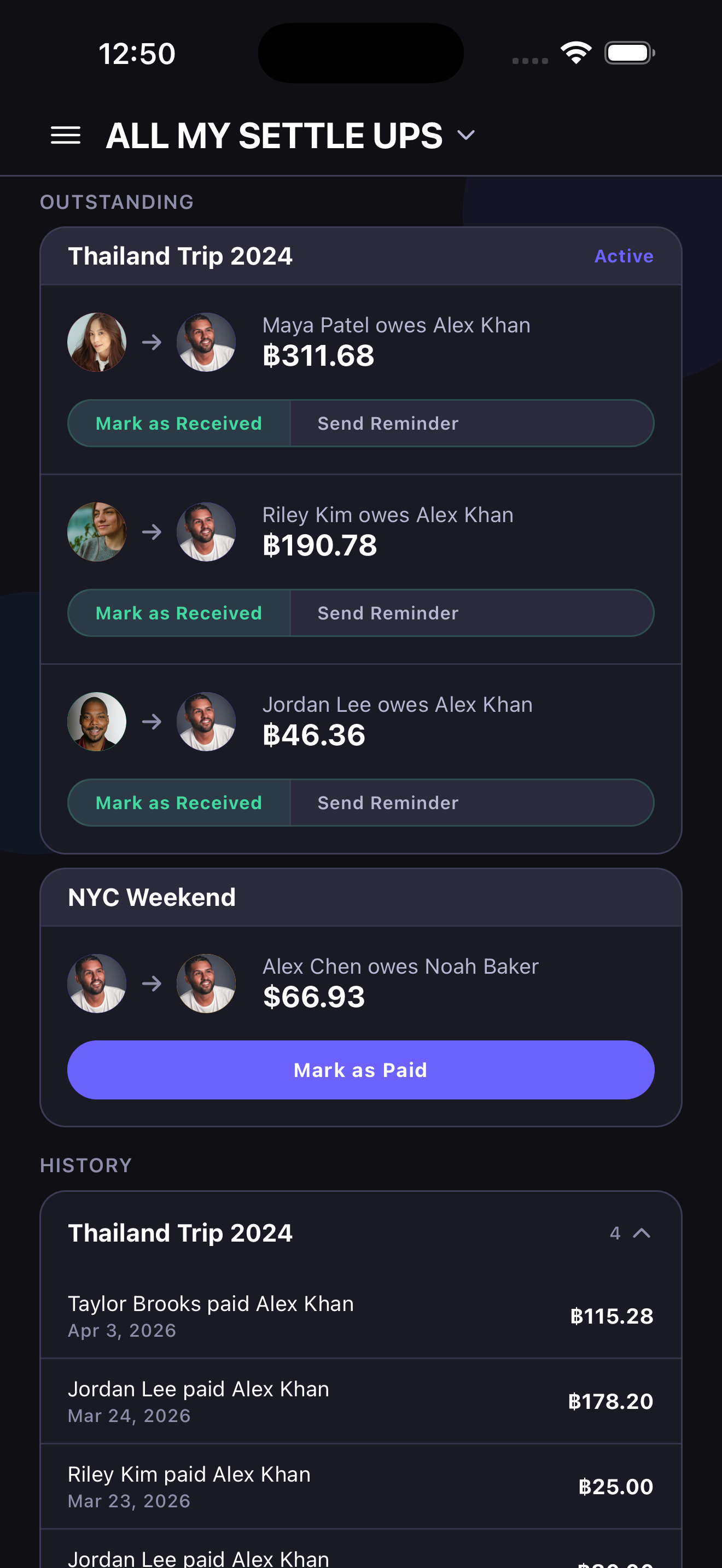
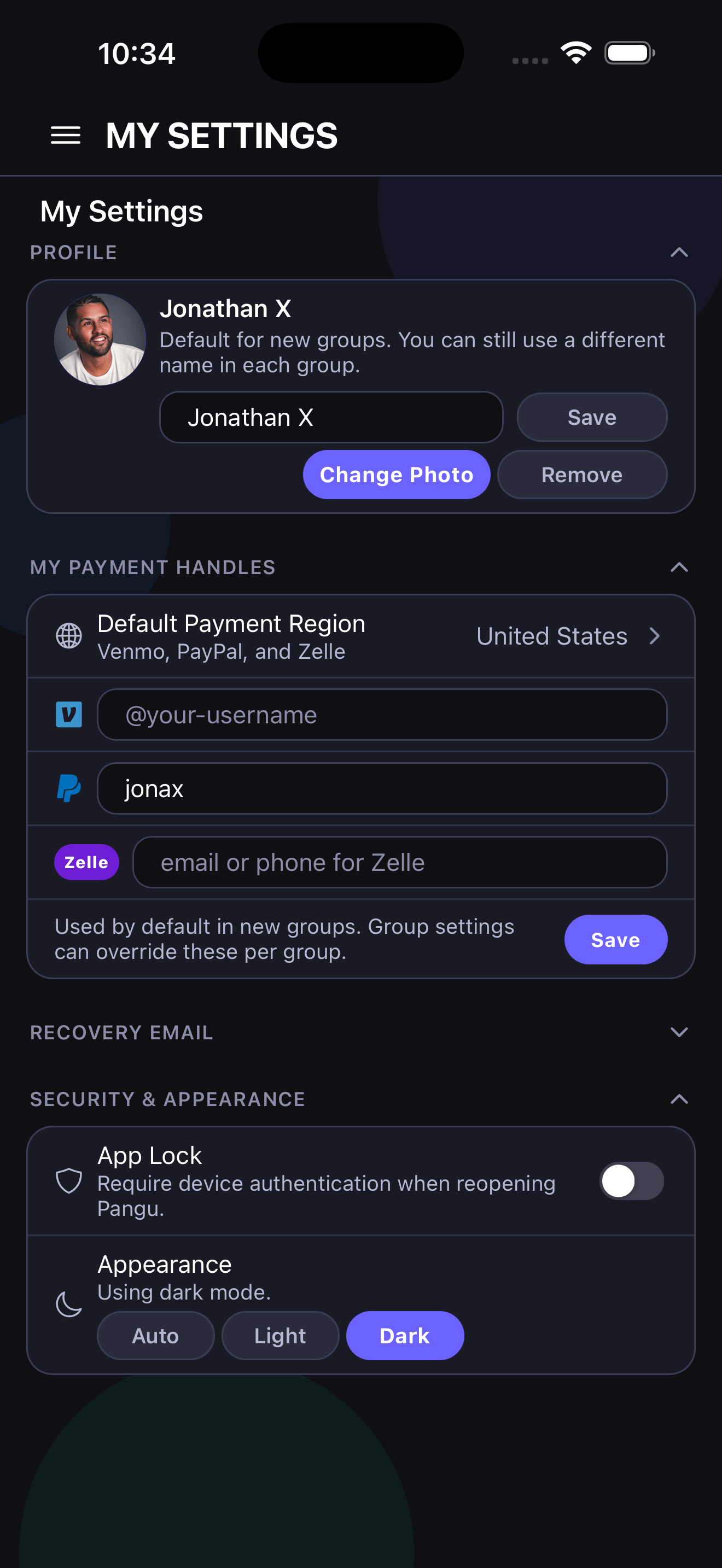
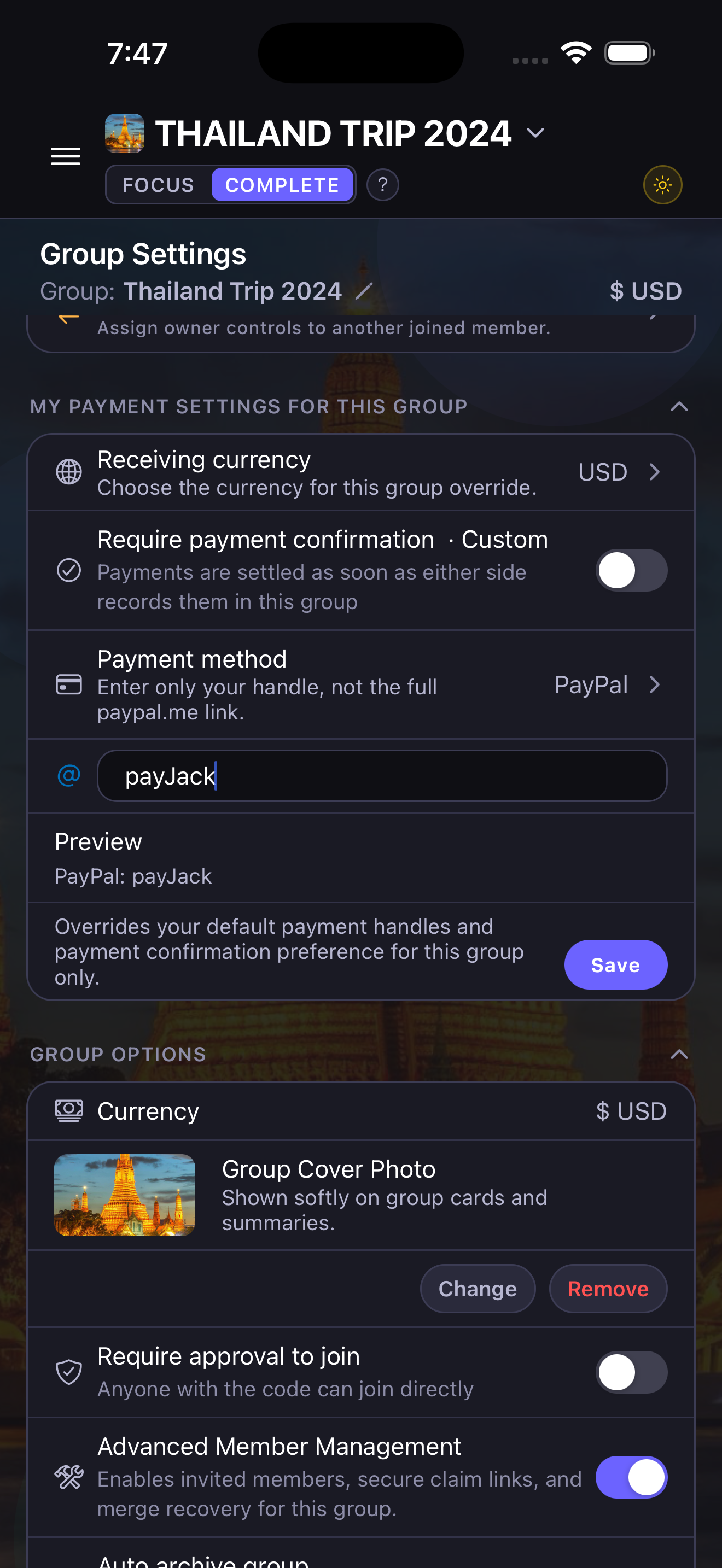
See who owes whom, use region-aware payment methods like PayPal, Venmo, Zelle, UPI, Interac, Pix, or Wise when available, and mark payments as paid or received with less back-and-forth. Default handles can live in My Settings and be overridden inside one group when needed.

Recurring group expenses

Enable recurring expenses per group, then schedule rent, utilities, subscriptions, or other repeating costs with start dates, repeat intervals, and full split options.

✓✓

Close out cleanly

Use closeout mode to surface split-later items, pending confirmations, and remaining balances so temporary groups can be wrapped up and archived more confidently.

Real screens from the app, not filler mockups

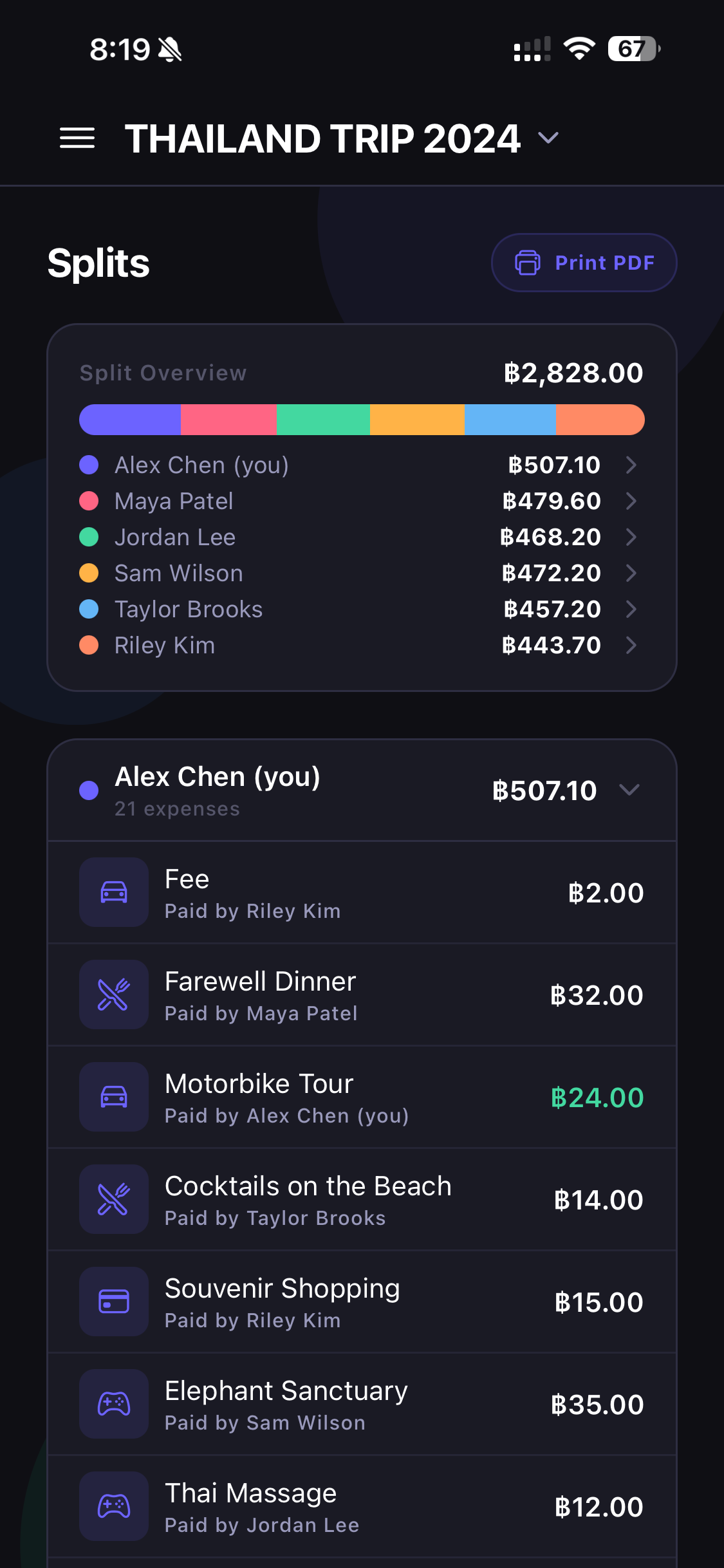
Pangu is designed to make the full shared-expense flow readable: invite code, recent expenses, AI-assisted receipt capture, splits, settle-up, insights with money-flow charts, and My Expenses all stay easy to scan.

Scroll sideways to browse the key flows: capture, split, settle, analyze, switch groups, and track private spending.
Pangu My Settings screen
Pangu Group Settings screen with payment preferences
Anonymous-first

Fast enough for casual groups, structured enough for long-running ones

Pangu starts without a sign-in wall, but still gives groups the structure they need later through join codes, approval flows, advanced member management, owner correction tools, My Settings, Group Settings, and email-based linked-device recovery.

  • Create a group and start tracking immediately
  • Join with a code instead of creating an account first
  • Use My Settings for avatar, appearance, app lock, account email and data recovery, default payment handles, and all-group display currency
  • Keep each group in one ledger currency while still entering expenses and settlements in another currency when needed
  • Use Group Settings for advanced member management, pending members, ownership, split correction, and group-level overrides
  • Verify one account email with a one-time code, then optionally connect older data if Pangu finds it

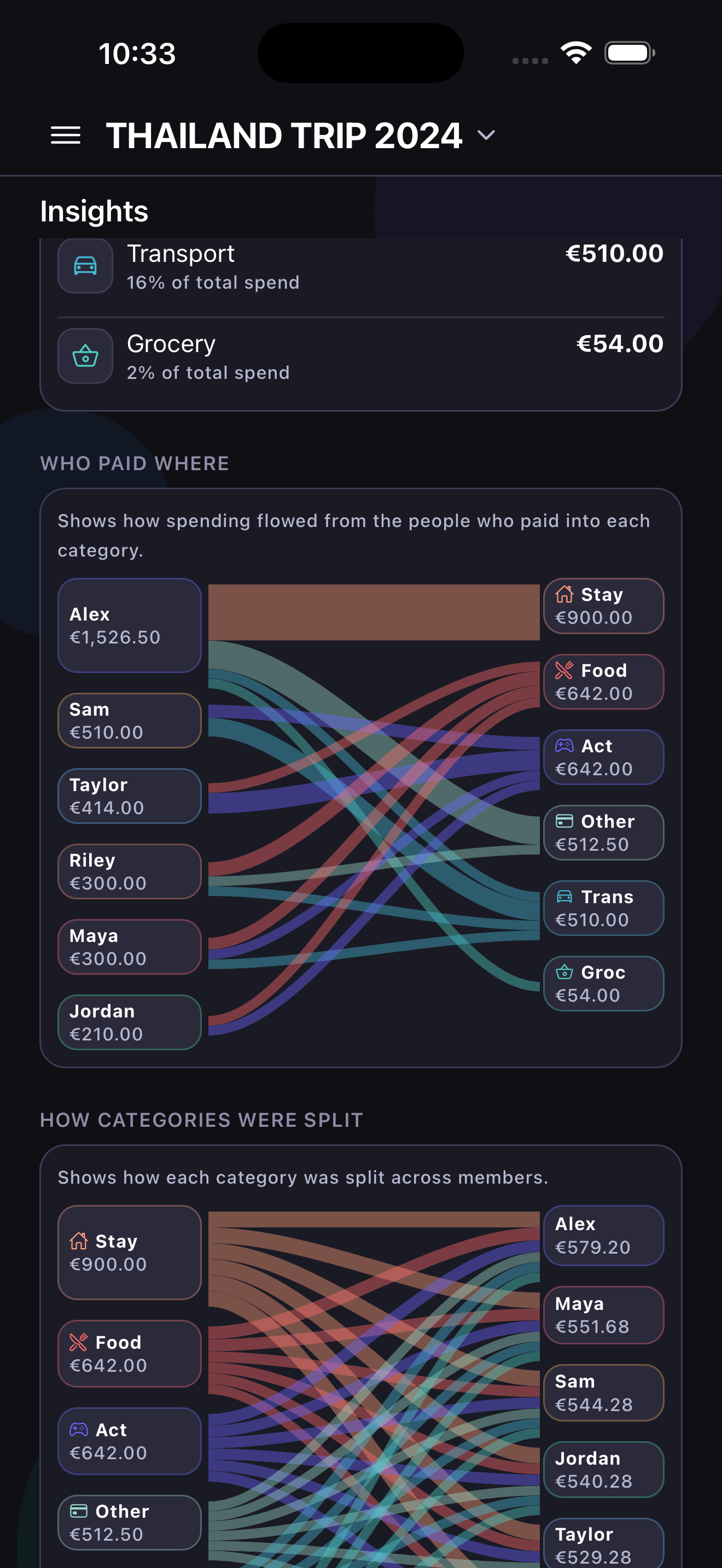
Pangu insights screen with money-flow charts
Receipts, reports, reminders

Everything you need to keep shared money calm and readable

Track receipts, use AI-powered receipt parsing to prefill expense details, print PDF reports, review insights and money-flow charts, and use mark-as-paid or mark-as-received flows to keep balances understandable for everyone in the group.

  • AI-powered receipt scanning and receipt attachment support
  • Insights page with quick totals, top expenses, category patterns, and settlement progress
  • PDF exports for Expenses, Splits, and My Expenses
  • Reminder and settlement flows for both group and all-group views

Choose the flow that matches the group

Pangu works for quick one-off groups and longer-running shared spending without forcing the same workflow on everyone.

Trips and events

Start without account setup, use Split later while details are still fuzzy, then finish with closeout mode before archive.

Roommates and homes

Keep one group ledger currency, schedule repeating costs, and separate what is shared from what should stay private.

Families and ongoing groups

Use approvals, recurring expenses, member management, recovery email, and all-group views when the group is going to stick around.

Pangu icon

Ready to make shared expenses less chaotic?

Pangu is built for families, friends, homes, and trips that need something lighter than spreadsheets and faster than full account setup.